Plugin for Godot | Grand Strategy Map Editor
A Godot 4.5 GDExtension that provides editor tools for interacting with Europa Universalis provinces and country data as well as a shader pipeline that renders a map with smooth borders.
Source Code
Can be found on GitHub here.
Overview
Grand strategy games like Europa Universalis IV use intricate political maps with thousands of irregular provinces and smooth borders that change as countries expand. I built a Godot C++ plugin to explore these systems and provide a starting point for game development/modding, focusing on creating smooth borders.
My primary goal was learning how to extend Godot with C++ (coming from simpler custom engines), while exploring rendering techniques, editor tool integration, and Godot’s extension architecture.
Key Achievement: Implemented smooth border rendering using a texture indirection pipeline with HQX upscaling, adapted from Intel’s Imperator: Rome rendering paper.
📚 Article I wrote focusing on the rendering aspect of the project
Project Goals
Create a Godot plugin that could:
- Parse Europa Universalis IV’s files to create a country and province database
- Render political maps with aesthetic borders that change in real-time
- Provide editor tools for modifying province ownership and country color
- Export back to EU4’s file format
Editor Functionality
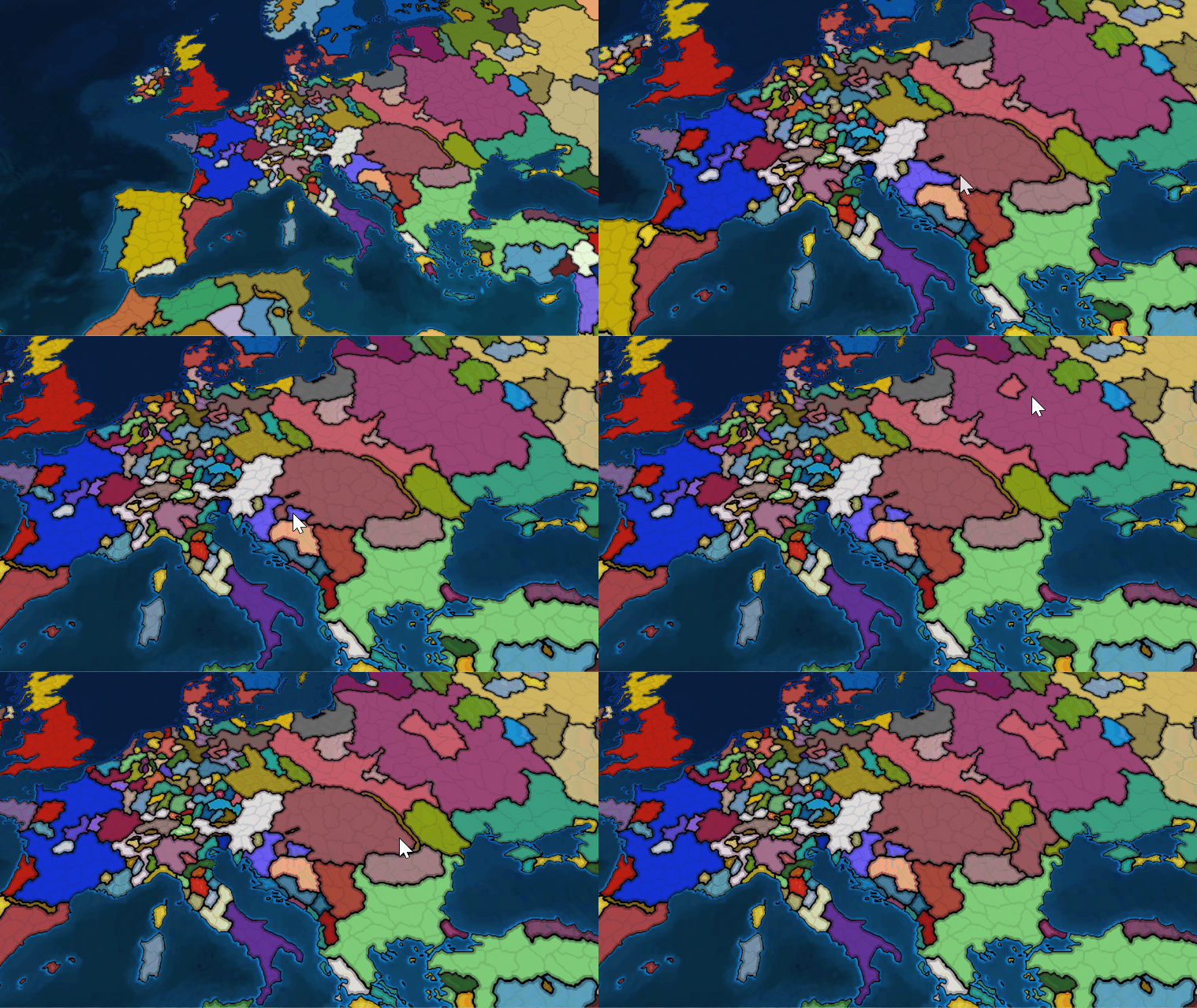
In this project I also learned how to extend the editor in Godot. Below you can see how the user can change ownership of provinces, or their country color through the editor I made. The changes are saved in the file format that Europa Universalis 4 uses.
Demonstration of province ownership editing, export/import functionality and changing of country colors
Below you can see how the file format changed after using the editor to modify it:
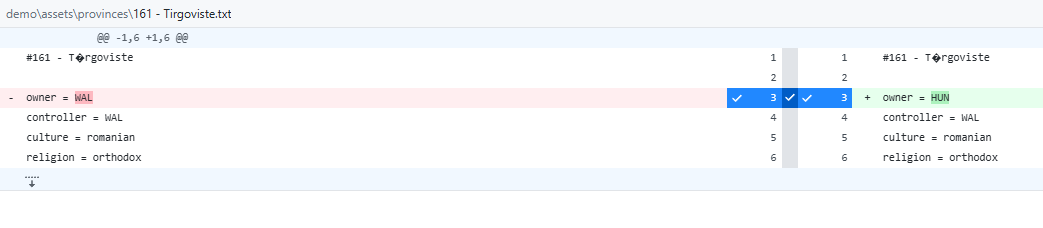 Diff in github with the file responsible for assigning ownership
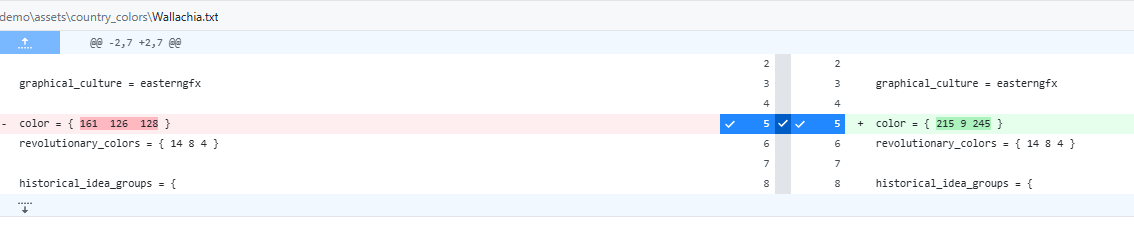 Diff in github with the file responsible for assigning country colors
Data Structure Optimization
The main challenge for the editor functionality was figuring out how to store the data in such a way that I could display and change it without any hiccups.
Initial approach (arrays): I started simple using arrays, which meant that sometimes I had to iterate to find element x of a country, then use it to iterate over another array to get element y. That resulted in O(n³) complexity which took a considerable amount of time:
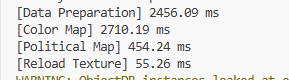 Very slow result with array-based approach
Optimized approach (dictionaries): Profiling led to restructuring the data into dictionaries, and sometimes into dictionaries that refer to various aspects of the same country. This dramatically improved performance:
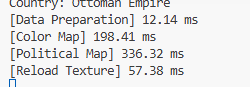 Very fast result after optimization
Data initialization using lookup tables:
1
2
3
4
5
6
7
8
9
10
11
12
13
14
15
16
17
18
19
20
21
22
23
24
25
26
27
28
29
30
31
32
33
void CountryData::build_look_up_tables(const Array &province_data, const Array &country_data, const Array &country_color_data)
{
    // Initialize dictionaries for O(1) lookups
    country_id_to_country_name.clear();
    country_id_to_color.clear();
    country_name_to_color.clear();
    province_id_to_owner.clear();
    province_id_to_name.clear();

    // Build color lookup
    for (const Dictionary &dict : country_color_data)
    {
        country_name_to_color[dict["Name"]] = dict["Color"];
    }

    // Build country lookups
    for (const Dictionary &dict : country_data)
    {
        country_id_to_country_name[dict["Id"]] = dict["Name"];
        country_id_to_color[dict["Id"]] = country_name_to_color[dict["Name"]];
    }

    // Build province lookups
    for (const Dictionary &dict : province_data)
    {
        province_id_to_owner[dict["Id"]] = dict["Owner"];
        province_id_to_name[dict["Id"]] = dict["Name"];
    }

    UtilityFunctions::print("Parsed Provinces:", province_data.size());
    UtilityFunctions::print("Parsed Country Colors:", country_color_data.size());
    UtilityFunctions::print("Parsed Countries:", country_data.size());
}
Editor Display Data Caching
To avoid repeated lookups during UI rendering, I cache the display data:
1
2
3
4
5
6
7
8
9
10
11
12
13
14
15
16
17
18
void CountryInspector::cache_display_data()
{
    display_data.clear();
    TypedDictionary<String, Color> country_name_color = country_data->get_country_name_to_color();
    TypedDictionary<String, String> country_id_name = country_data->get_country_id_to_country_name();

    for (const String &country_id : country_id_name.keys())
    {
        Dictionary country_info;
        String country_name = country_id_name[country_id];
        country_info["name"] = country_name;
        country_info["color"] = country_name_color.get(country_name, Color(1, 1, 1));
        country_info["provinces"] = country_data->get_country_provinces(country_id);
        display_data[country_id] = country_info;
    }

    UtilityFunctions::print_verbose("Display data for ", display_data.size());
}
Color Picker Implementation
The editor uses Godot’s color picker with proper signal handling and memory management. This is used through the “inspector” code which was prototyped into Godot’s scripting language and then moved into C++.
1
2
3
4
5
6
ColorPicker *color_picker = memnew(ColorPicker);
PopupPanel *popup = memnew(PopupPanel);

// Setup and signal connections
color_picker->connect("color_changed", callable_mp(this, &CountryInspector::on_color_changed).bind(item, country_id));
popup->connect("popup_hide", callable_mp(this, &CountryInspector::on_color_picker_closed).bind(popup));
1
2
3
4
5
6
7
8
9
10
11
12
13
14
// Cleanup handlers
void CountryInspector::on_color_picker_closed(PopupPanel *popup)
{
    if (country_color_save.is_empty() == false)
    {
        country_data->export_color_data(country_color_save);
    }
    popup->queue_free();
}

void CountryInspector::on_context_menu_closed(PopupMenu *menu)
{
    menu->queue_free();
}
Rendering
I believe that this article explains my rendering method, which I considered good enough visually. If you are curious please consult the paper, or the article.
This is the core logic behind the fragment shader that renders political countries:
1
2
3
4
5
6
7
8
9
10
11
12
13
14
15
16
17
18
19
20
21
shader_type canvas_item;

// texture with province IDs
uniform sampler2D lookup_map : filter_nearest;
// small texture with each provinces color, resolution is small (i.e. 256x256)
uniform sampler2D color_map : source_color, filter_nearest;

vec4 get_color(const in vec2 uv) {
    // UV in range [0-1]
    vec4 lookup = texture(lookup_map, uv);
    vec2 province_uv = lookup.rg;
    //get color from color map
    return texture(color_map, province_uv);
}

void fragment() {
    vec2 uv = UV;
    vec4 color = get_color(uv);

    COLOR = color;
}
This can also be visualized as:
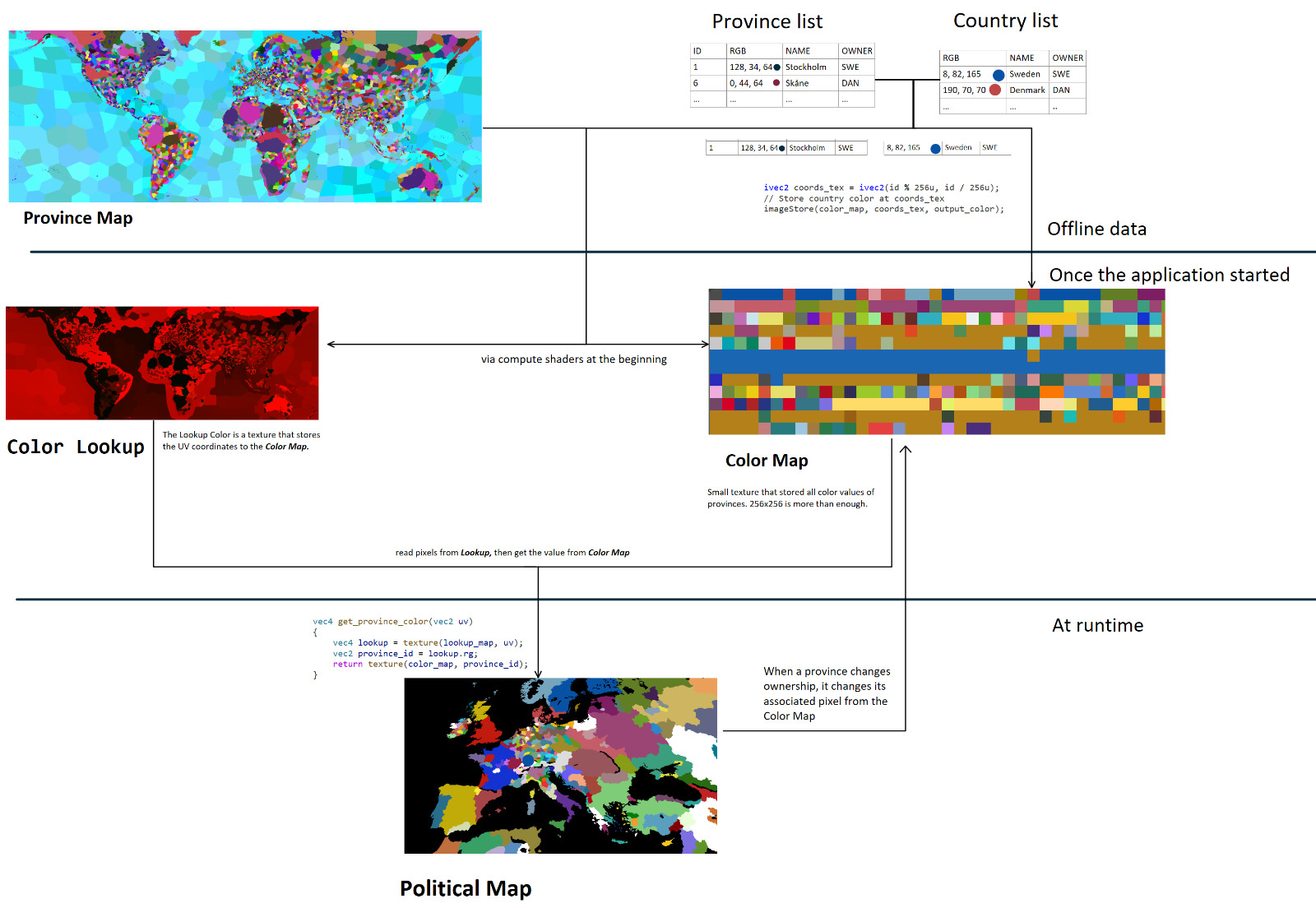 Complete overview of the rendering pipeline from province map to final output
The output using EU4’s files:
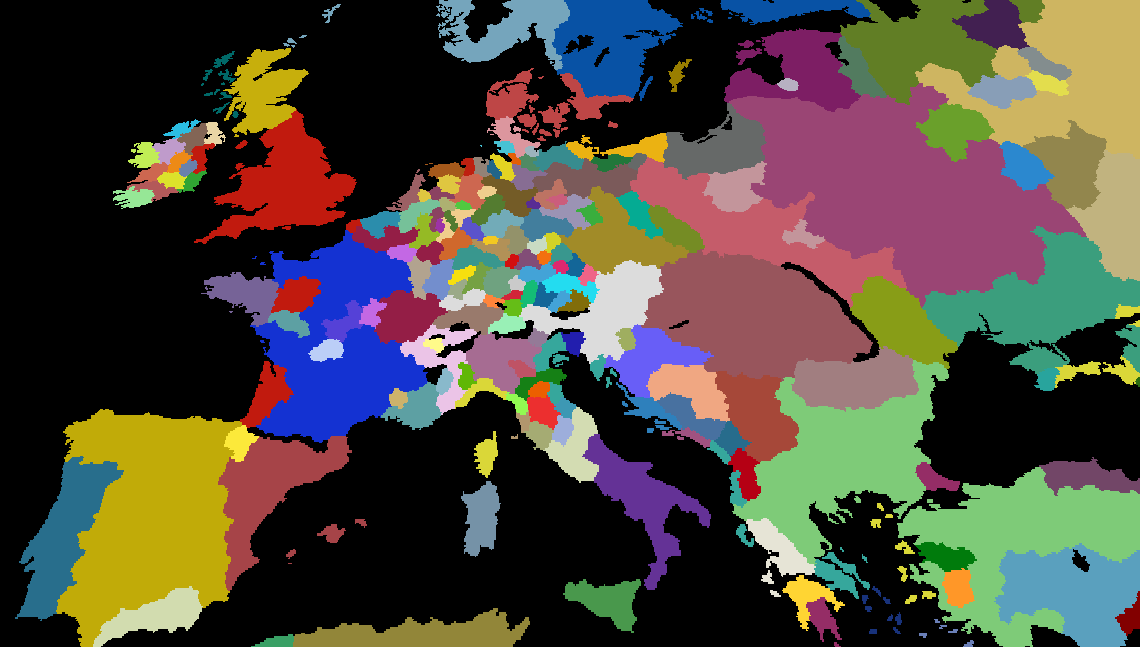 Basic political map outputting province colors without borders
Borders
Rendering borders is very much like learning grand strategy games for the first time. There is no easy solution that provides a particularly great answer. So I would like to go over the ones that I considered doing, although I have not pursued them to finality.
Simple AA and edge detection
The first implementation is to try making smooth borders by using edge detection and adding some AA, it looks somehow promising, but not perfect either:
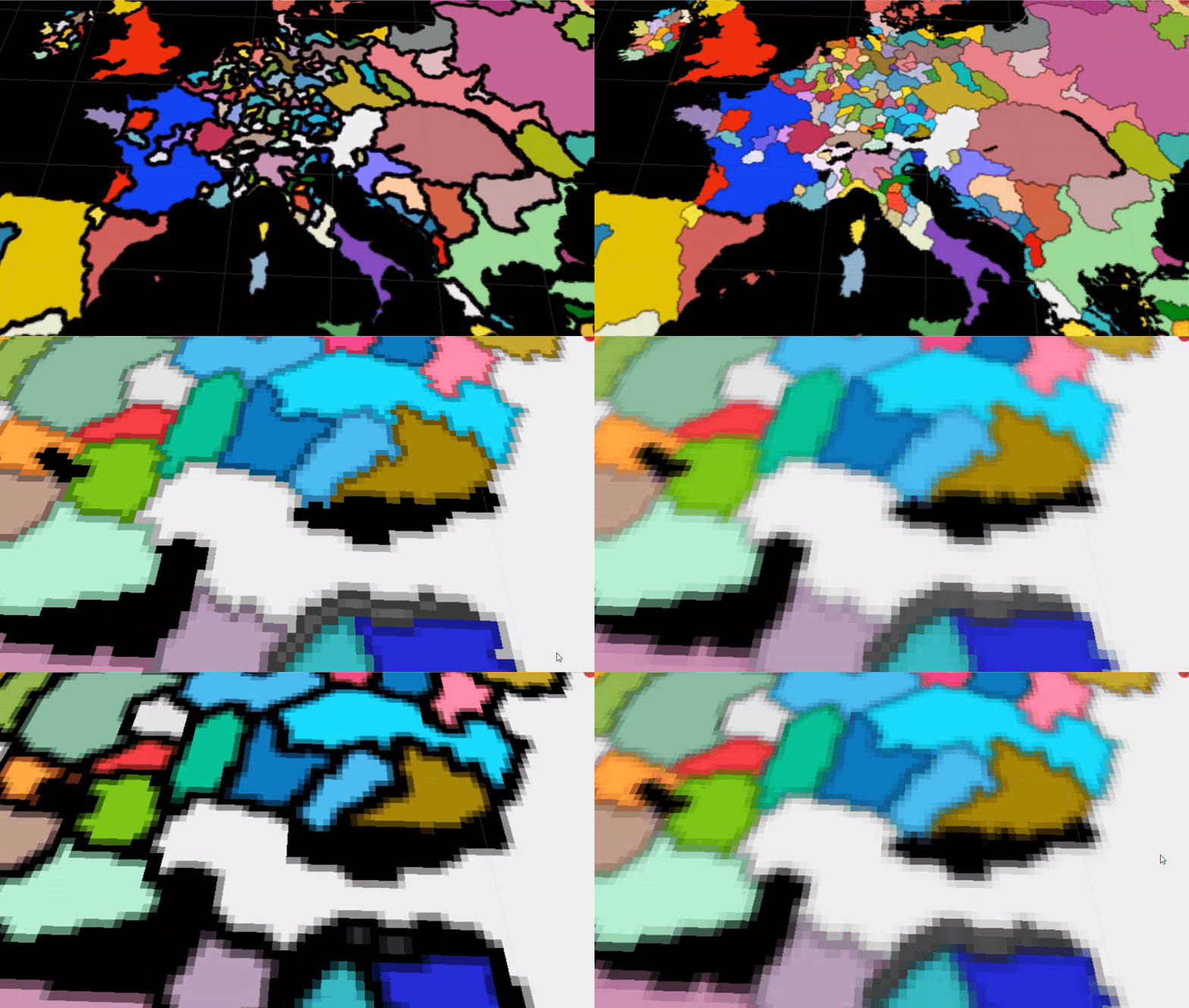 Video with basic edges with AA applied
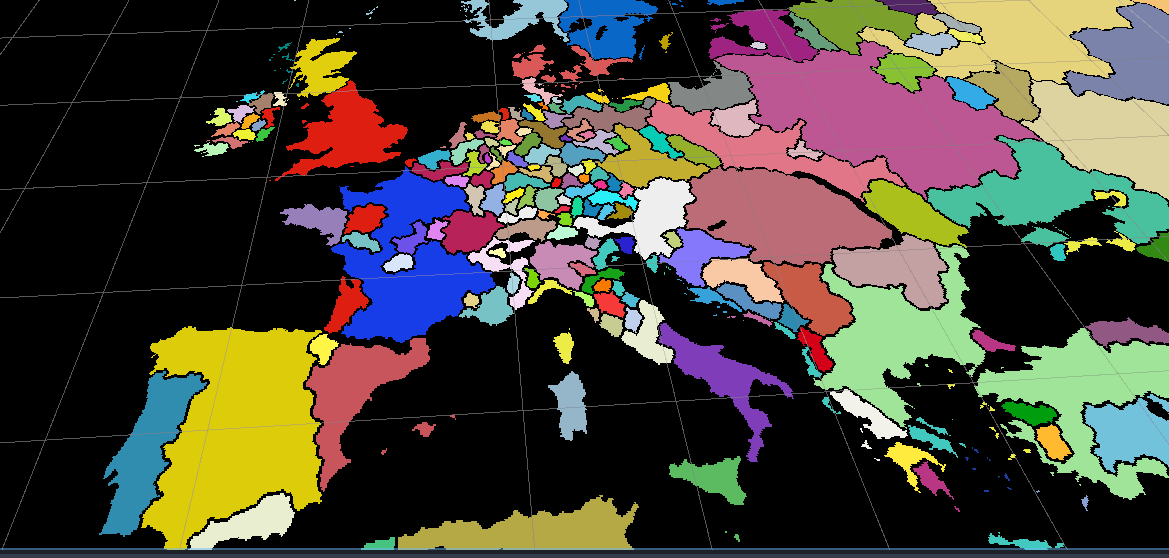 Screenshot of the political map with basic edge detection
Upscaling using HQX
The main problem is that the effect is constrained by the texture resolution. It seemed logical to try to use an upscaler shader. Fortunately, this shader is used by Thomas Holtvedt’s open-source project in Godot. HQX is a popular shader which is also used in other grand strategy map projects. The border can be smoothed out, at the cost of having any color values as the border itself.
No HQX:
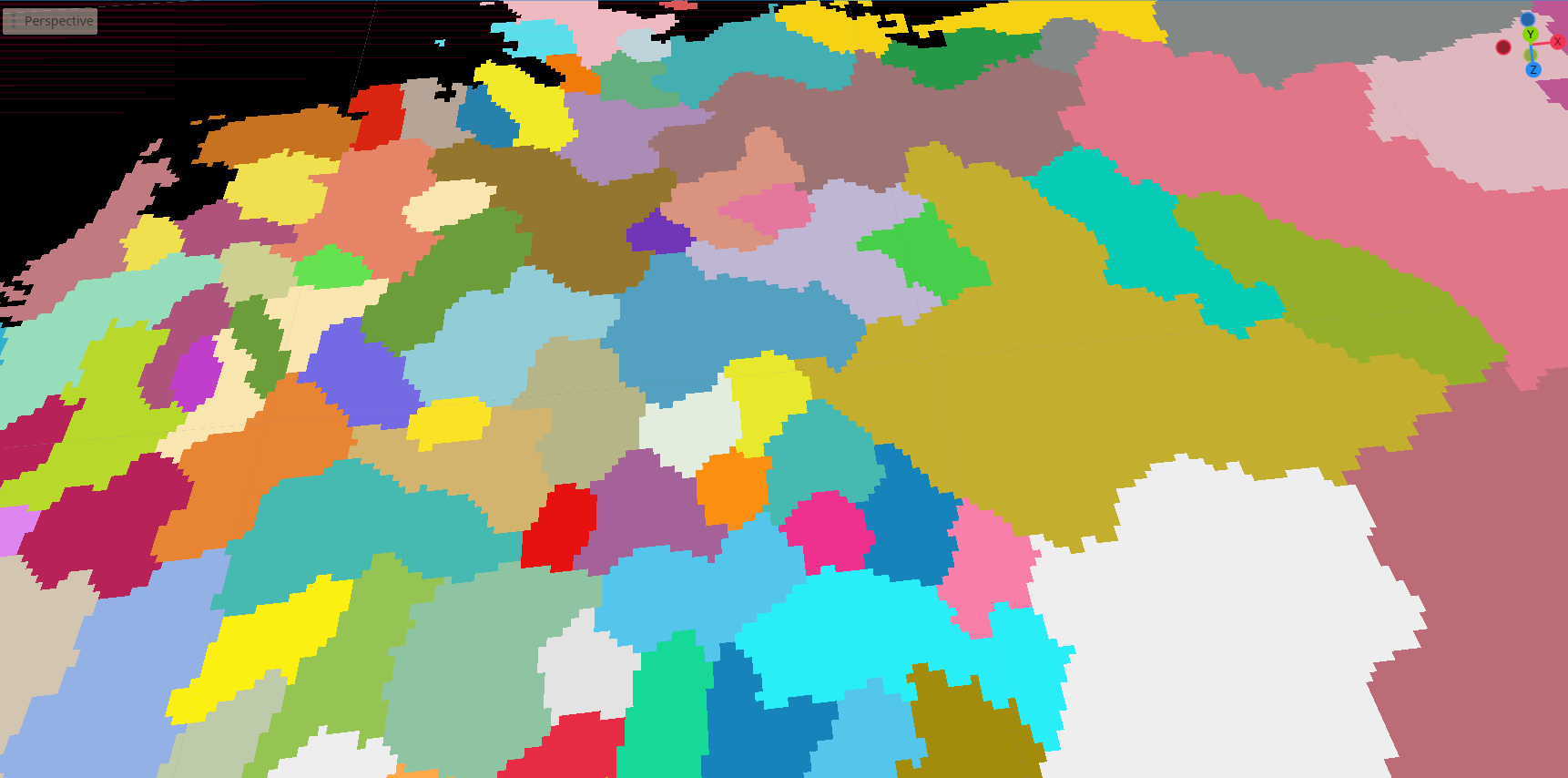 Political map with no borders
HQX applied:
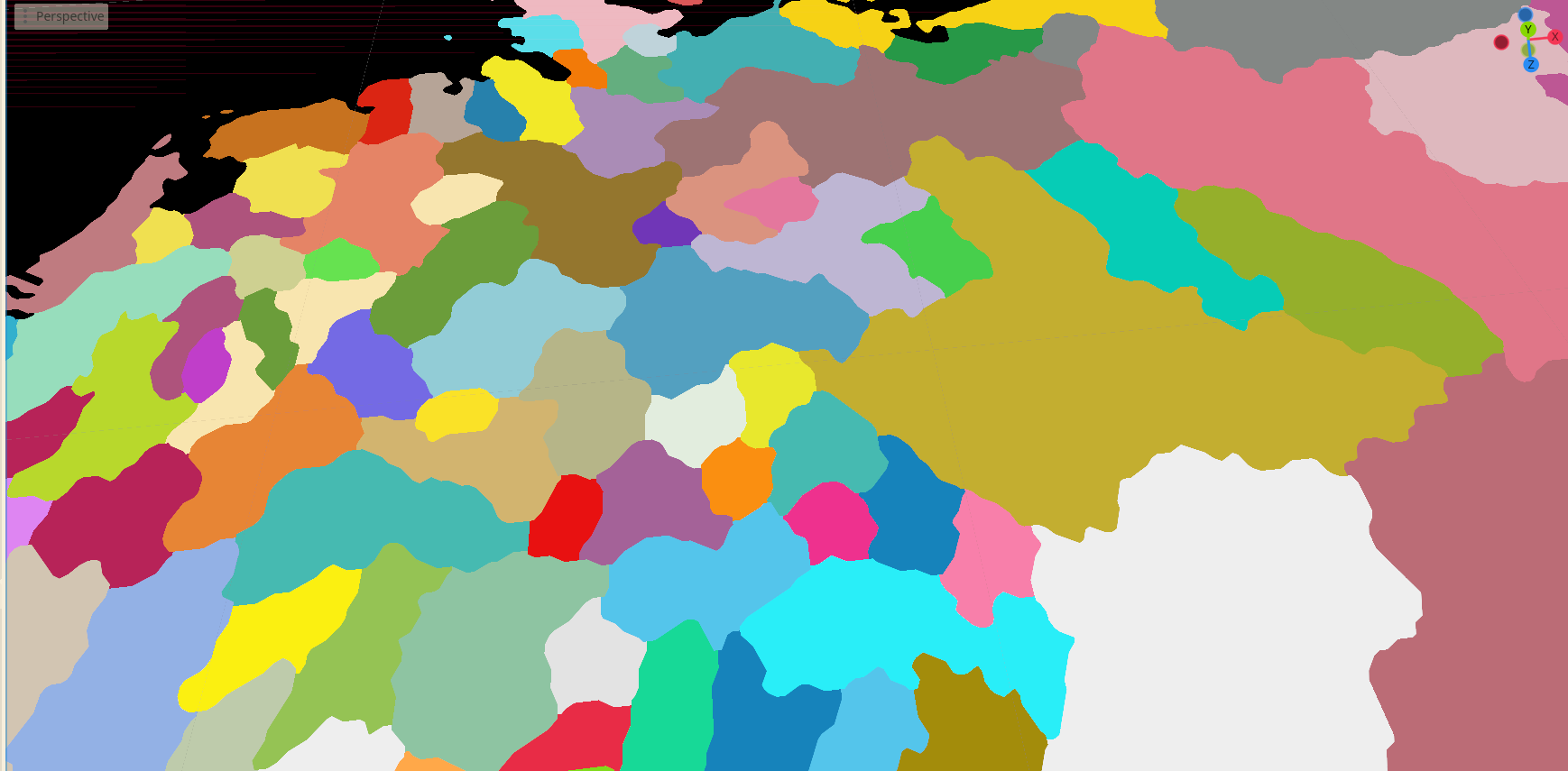 HQX shader applied to the political map
Combining simple edge detected borders with the upscaler shader was creating too many artifacts, especially when the color was using partial alpha values:
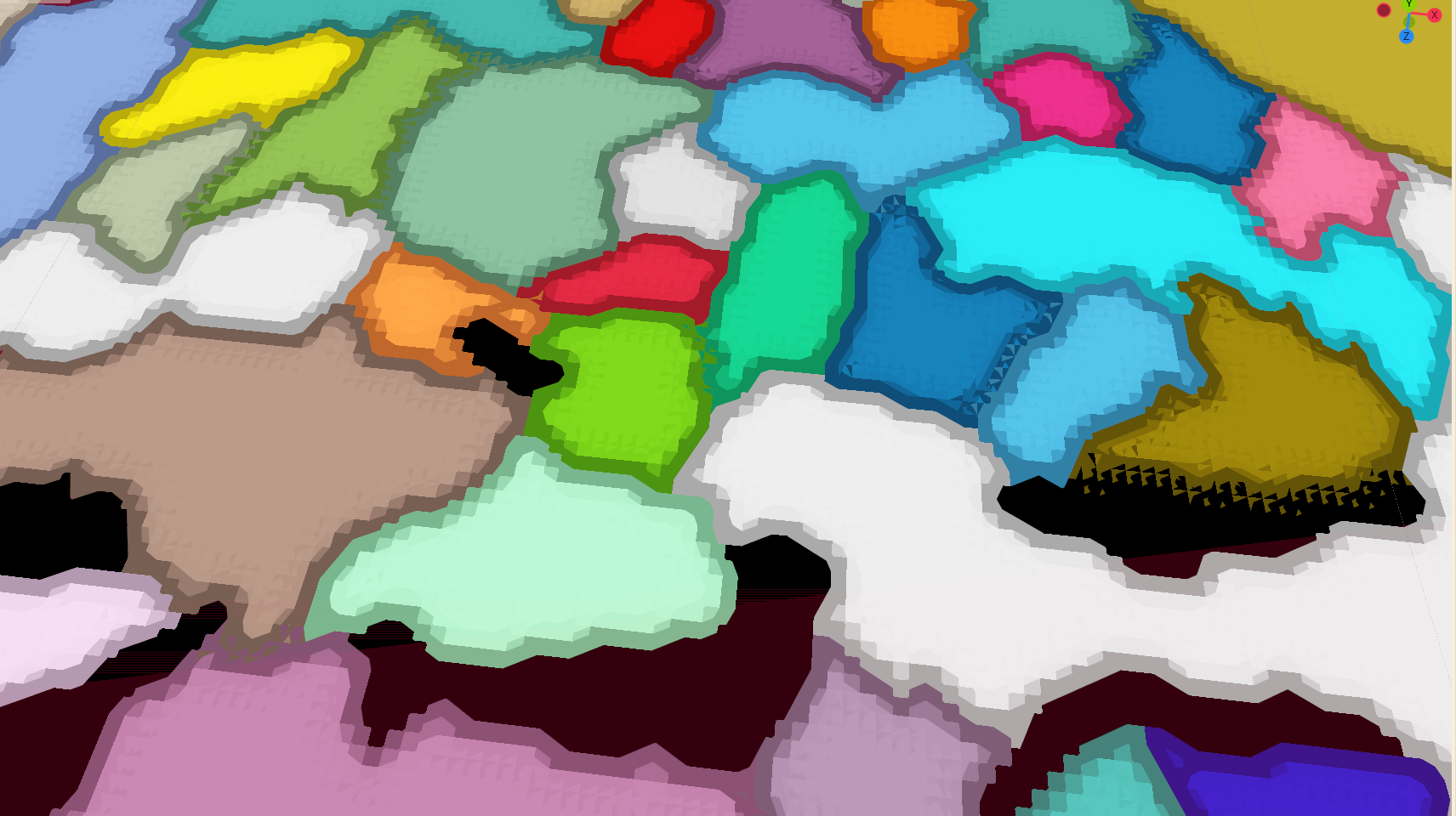 Artifacts due to the alpha of the simple borders
Generating meshes?
This is one of the techniques used in EU4! In fact, there are profiling results showing that rendering the border meshes takes most of the rendering, which you can find here. This makes the technique quite complicated, requiring triangulation in order to achieve arbitrary shapes based on the province map. In addition, the fact that EU4 takes 90% of its render time for the borders according to the previous article makes it less appealing to pursue.
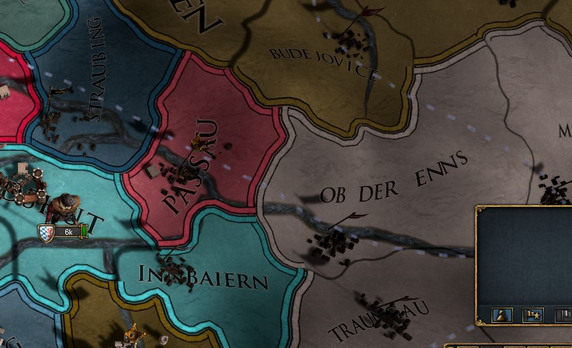 Mesh Generated borders based on the neighboring countries from EU4
SVG approach
I found a repo from primislas based on oikoumene which generates SVG maps based on the EU4 game data and textures. They only use vector based approaches to create borders between countries or provinces which is impressive in itself. It is an educated guess that EU4 uses a similar technique with multiple passes over the province map to create curves around the provinces and smooth them out in subsequent passes. My personal opinion is that they create a layered approach to their borders, so they might use a combination of techniques.
This technique is ideal and their results speak for themselves. They are scalable and provide near identical results as the borders from the game in terms of shapes. The downside is the time needed to be invested in order to only generate the most basic province borders and the complexity that comes with that.
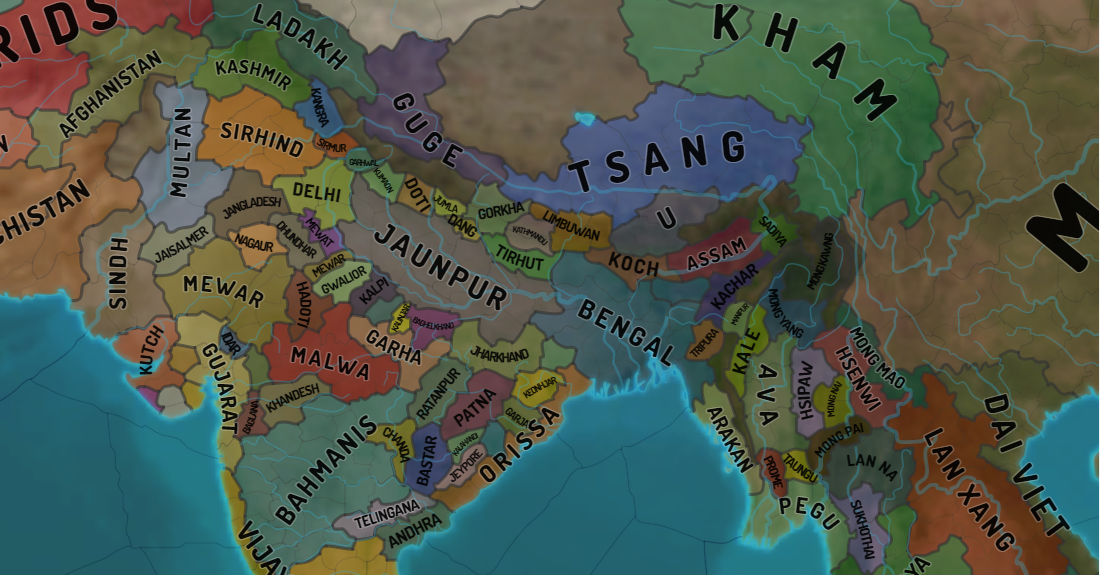 Screenshot from Oikoumene samples
Distance Field Texture and HQX
 Final technique used to render borders
Given the complexity of vector approaches and the performance cost of mesh generation, I settled on a hybrid image-based technique. This approach breaks down if the map is very zoomed in; however, it looks good from most distances. The steps for this effect are the following:
- Generate Distance Field from
Color+Lookupmaps - Sample the distance field to create the gradient
- Have an edge threshold, that when reached represents the border between countries (fill with border color)
- Use the HQX upscaler on the previous output to create smooth edges
Implementation Note: A significant challenge was implementing the Jump Flood Algorithm for distance field generation. I was unable to get it working with Godot’s
SubViewports, though a compute shader approach might be more feasible for future work.
Adding province borders is trivial, as these will never change over the course of the game.
Here are a few screenshots with this effect on more exotic shapes:
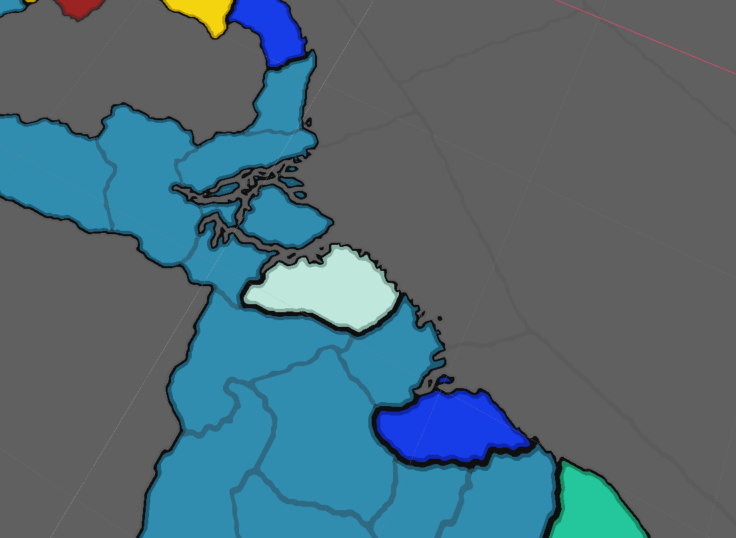 Smooth borders on large continental landmasses
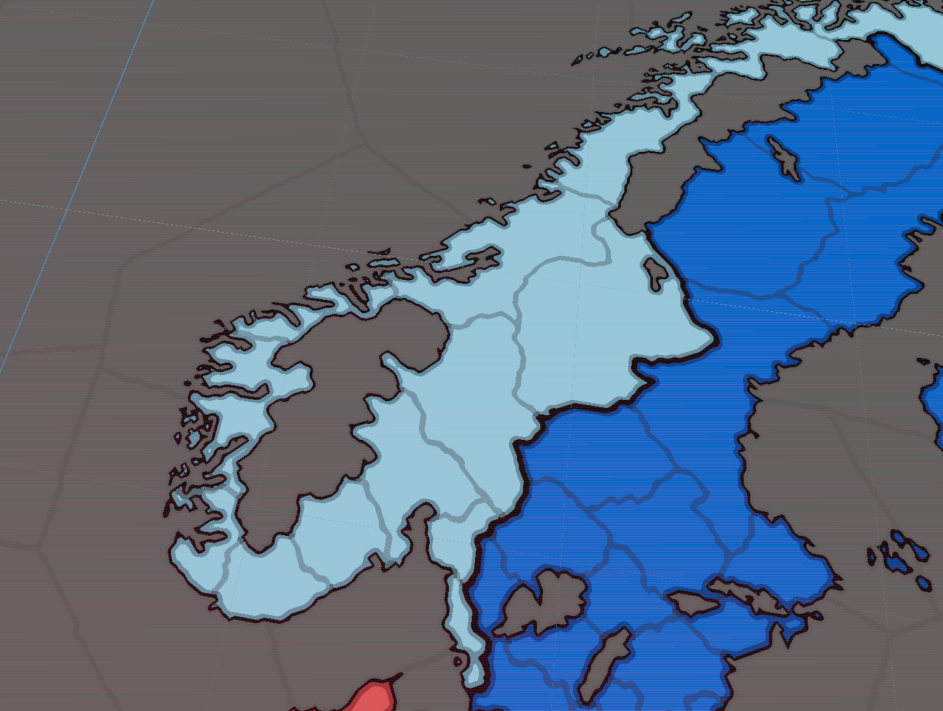 Handling complex coastal geometry and fjords
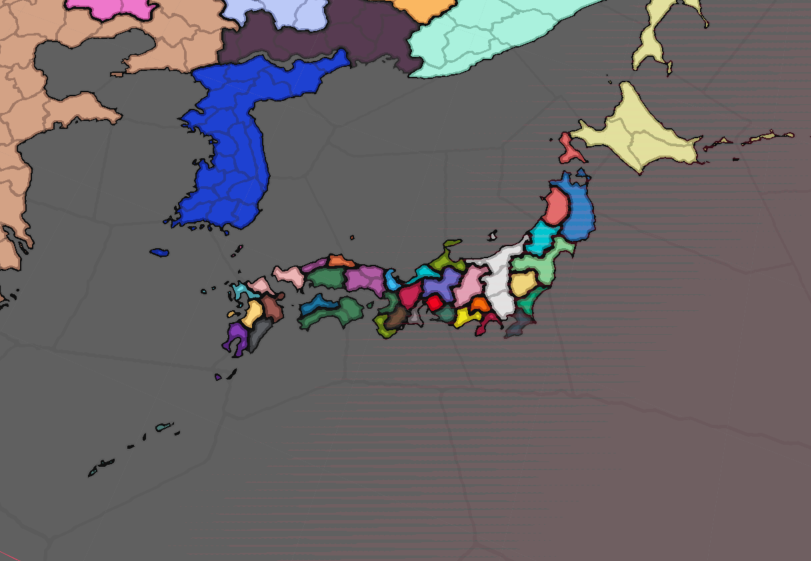 Island chains and separated territories
References
Godot & Compute Shaders
- Godot Official Compute Shaders Documentation
- Compute Shader Textures Tutorial by NekoToArts
- Shader Storage Buffer Objects (SSBOs) Guide
- Godot Viewport as Texture Documentation
Map Rendering & Border Techniques
- Intel Paper: Optimized Gradient Border Rendering in Imperator: Rome
- Simulating the EU4 Map in the Browser with WebGL
- Valve Paper: Improved Alpha-Tested Magnification (Distance Fields)
- Inigo Quilez: Introduction to Signed Distance Fields (Video)
- HQX Upscaling Filter (Shadertoy)
- Sobel Edge Detection Filter (Shadertoy)
- Unreal Engine Forum: Paradox Grand Strategy Game Borders Discussion
- Ben Golus: The Quest for Very Wide Outlines (Jump Flood Algorithm)
Alternative Border Approaches (Vector & Mesh-Based)
- Anatomy of a Grand Strategy Game: Mesh Generation Devlog
- GameDev Stack Exchange: Rendering Province Borders in Unity
Behind the Scenes: Early Rendering Attempts
As a fun section, these are some of my attempts to implement the “basic” political rendering before getting it right.
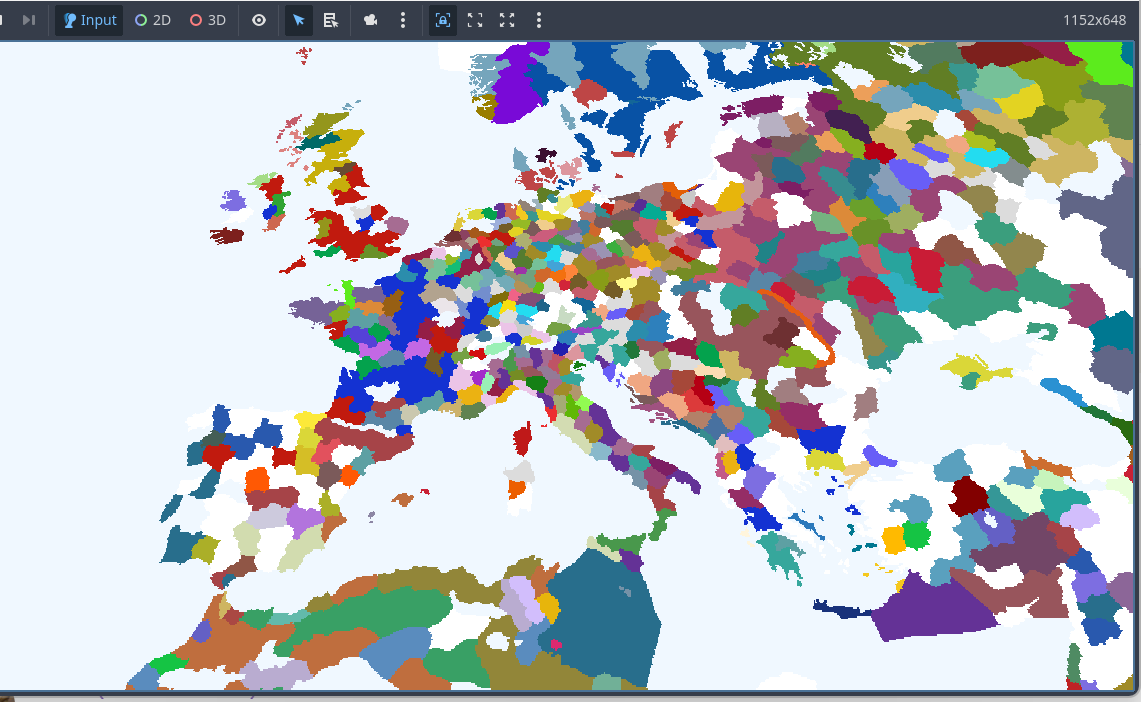
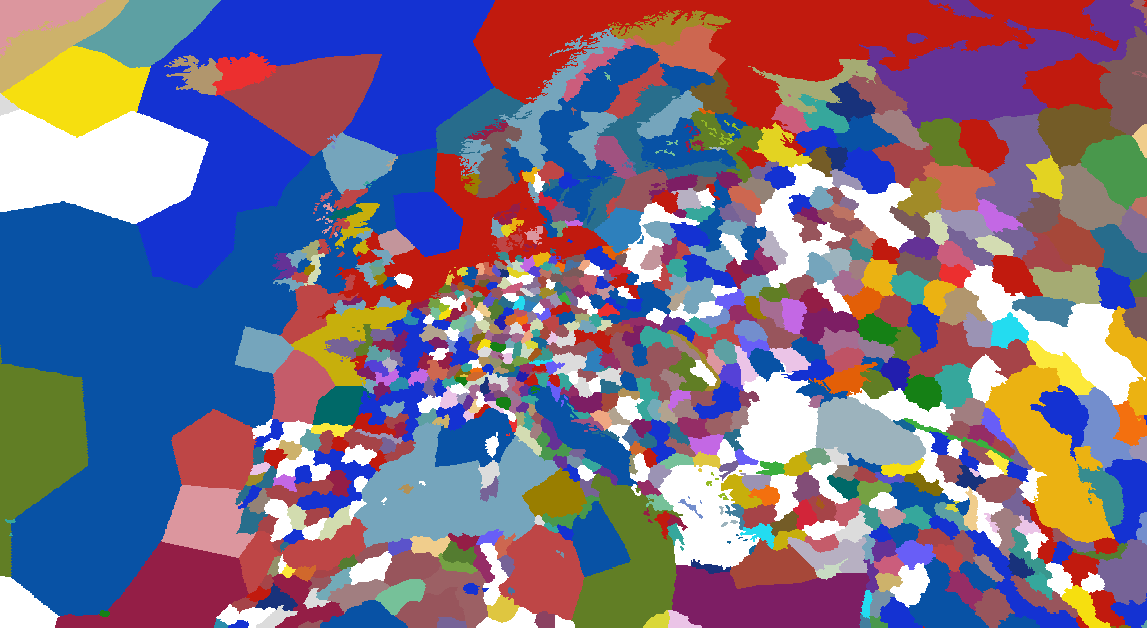
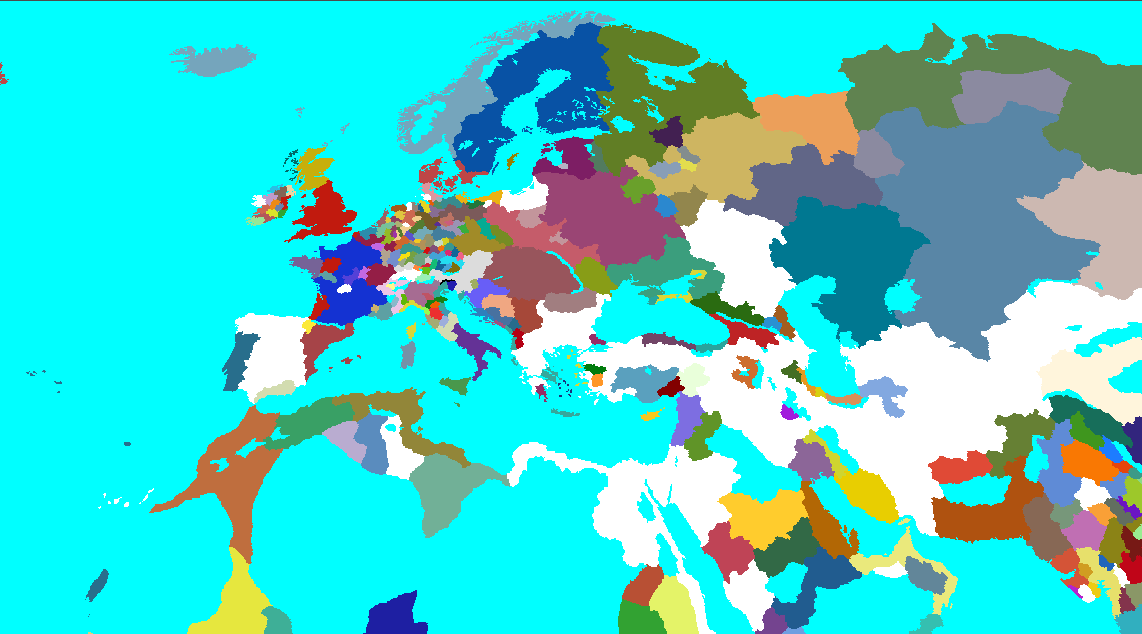
Early iterations of the rendering pipeline